BotLobbies.com offers VPN and Geo Fence tools intended to give Call of Duty players more control over the geographic areas used during matchmaking.
For players searching for easier matches, that can sound attractive.
However, changing matchmaking location and maintaining a low-latency gaming connection are not always perfectly aligned goals.
A route that places you in the matchmaking region you want may not necessarily be the fastest route between your home and the eventual game server.
Why BotLobbies.com VPN Might Increase Your Ping
VPN technology changes the network path used by at least some of your traffic.
If the selected VPN server has excellent connectivity and avoids congestion, your experience may remain smooth.
If the selected location is far away or the route is inefficient, latency can increase.
This is particularly relevant when players deliberately choose distant regions searching for supposedly easier lobbies.
Geographic distance is not the only factor, but physics still matters. Data travelling through additional infrastructure takes time.
Jitter is another consideration.
You might connect at an acceptable average ping but notice that the number constantly fluctuates.
For Call of Duty, unstable latency can feel significantly worse than a slightly higher but consistent connection.
Test Before and After
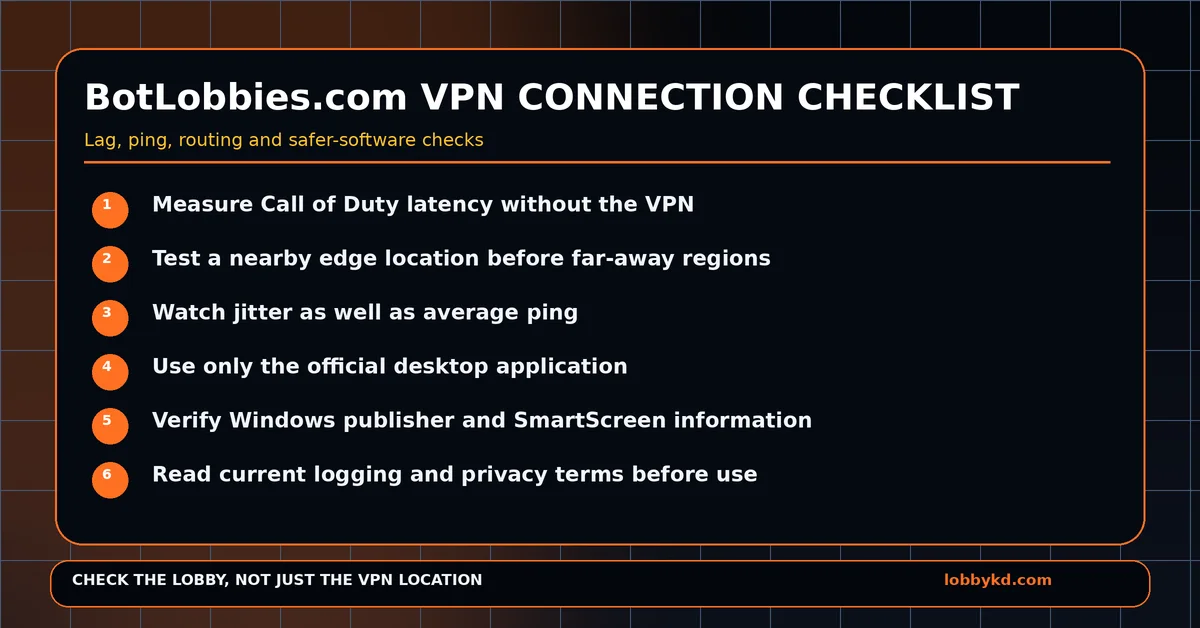
Start with BotLobbies disabled.
Play several matches and record your normal in-game ping.
Then enable the service and begin with a nearby location rather than immediately jumping to another continent.
Compare:
- Average latency
- Ping variation
- Packet loss
- Packet burst
- Connection stability
If performance suddenly deteriorates, disconnect and retest your normal connection.
This simple comparison tells you far more than a generic speed test.
If you normally use Wi-Fi, test Ethernet as well. Local wireless interference is a frequent cause of inconsistent gaming performance.
Treat VPN Installers Carefully
PC VPN applications need access to networking functionality.
That can include installing virtual adapters and modifying route information.
Again, none of that automatically makes a program unsafe. It is normal behaviour for many legitimate VPN clients.
But it means you should obtain the software directly from the official provider.
Do not use unofficial mirrors, cracked versions or somebody else's uploaded EXE.
Leave Microsoft Defender and SmartScreen enabled.
If Windows says an application is unrecognised, confirm that you downloaded the genuine file and check the publisher information rather than automatically bypassing the warning.
Can VPN Companies See Your Data?
The word “VPN” is frequently associated with privacy, but a VPN provider becomes another trusted participant in your network connection.
Depending on the implementation, the operator may potentially have access to certain metadata concerning connections.
That does not mean BotLobbies.com is harvesting user data.
Users should simply avoid assuming that every VPN has identical privacy practices.
Read the current privacy policy, understand what information is logged, check how long it is retained and determine whether any information is shared with service providers.
This is particularly important before installing networking software from any smaller or unfamiliar company.
Are You Solving the Wrong Problem?
If you need a VPN for a particular routing purpose, choosing the right provider and server makes sense.
But if your only objective is an easier Call of Duty lobby, a VPN is still trying to influence the result indirectly.
You select a location, connect, queue and then hope matchmaking gives you the lobby you wanted.
Why not look at the lobby itself?
LobbyKD focuses on estimated lobby K/D, giving you information about the actual lobby matchmaking generated.
That means you can judge the result rather than trying to predict it based solely on geography.
If you still prefer a Call of Duty VPN solution, compare more established specialist alternatives such as SBMMOFF VPN or NoLagVPN, read their current policies and test their latency on your own internet connection.
But for anyone whose end goal is simply identifying easier lobbies, checking the lobby score itself is arguably the more direct and useful strategy.
0 Comments
No approved comments yet.
Sign in to react or comment.
Login