Using a gaming VPN can change the way traffic reaches online services, and that means the experience can vary enormously from one player to another.
LobbyVPN is designed specifically around Call of Duty and matchmaking-location features, but even a service built for gaming cannot guarantee that every possible connection route will be faster than the route supplied by your normal internet provider.
If you are experiencing lag, high ping, packet loss or sudden latency spikes while using LobbyVPN, the first step is understanding why.
How a VPN Can Increase Ping
Without a VPN, your internet traffic normally travels from your home connection through your ISP and onward toward the game infrastructure.
When a VPN is involved, some or all of that traffic may first travel through an additional server.
If that server is well positioned and has good connectivity, the route may actually improve.
However, if you connect to a server that is geographically distant or poorly routed relative to your ISP, the additional journey can increase latency.
This becomes especially important when players intentionally choose far-away countries because they believe those locations will produce easier Call of Duty matches.
You might gain the matchmaking location you wanted while simultaneously creating a worse network route.
Establish a Baseline
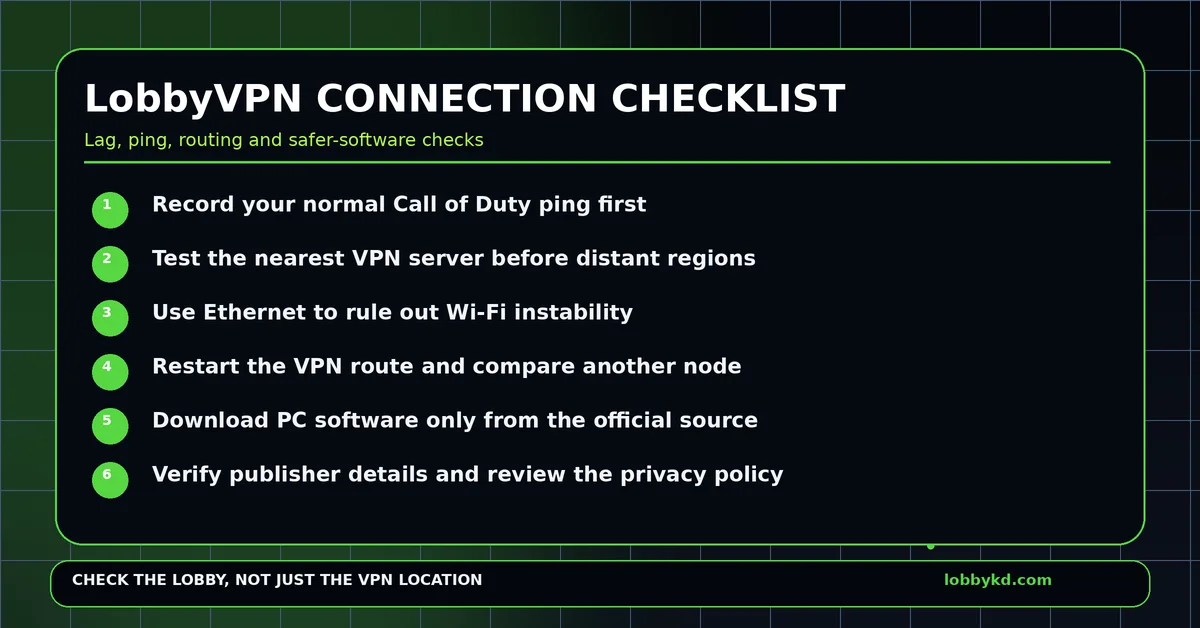
Before changing settings, play Call of Duty without LobbyVPN enabled.
Record your typical:
- In-game ping
- Packet-loss percentage
- Packet-burst frequency
- General connection stability
Then enable LobbyVPN and initially choose a nearby server.
Compare the results.
If the nearby server performs well, gradually test the matchmaking regions you are interested in.
Do not judge performance from a single match. Game-server conditions themselves change, so several tests give you a better picture.
Rule Out Your Local Network
Not every problem that appears after enabling a VPN is actually caused by the VPN.
Wi-Fi interference, another person downloading a large game, cloud backups, streaming video and router bufferbloat can all produce additional latency.
If possible, test over Ethernet.
You should also restart the router and ensure no major downloads are running in the background before making conclusions.
Think Carefully About Downloadable VPN Software
PC VPN services generally require an application capable of modifying network settings.
That is normal, but it also means users should treat the installer as security-sensitive software.
Only download the client from the company’s official website.
Avoid third-party mirrors and never install modified versions that claim to unlock subscriptions or extra locations.
Check the publisher information Windows displays.
Microsoft SmartScreen can warn about applications that have limited reputation as well as files believed to be unsafe. Therefore, a warning is not proof of malware—but it is still a reason to confirm that you obtained the installer from the correct source.
Can a VPN Provider Collect Information?
VPNs are often promoted as privacy tools, yet using one also means trusting another company with part of your network connection.
Encrypted websites still protect their actual contents, but depending on the VPN architecture, a provider may potentially have access to information such as connection times, IP addresses, server selections or other metadata.
That does not mean LobbyVPN is harvesting users’ information.
The sensible approach with any VPN is simply to read its current privacy policy and understand what the company says it collects and retains.
Do the same when evaluating any lesser-known VPN provider.
Are You Really Trying to Buy a VPN—or an Easier Lobby?
This distinction matters.
If your end goal is simply to find easier Call of Duty matches, changing location is an indirect solution.
You can connect to a supposedly ideal region and still receive a difficult lobby.
That is where LobbyKD becomes useful.
LobbyKD focuses on giving you estimated K/D information about the lobby matchmaking actually created.
Instead of trying location after location and hoping that one produces the right result, you can evaluate the result itself.
If you still want a dedicated Call of Duty VPN, look at established specialist services such as SBMMOFF VPN or NoLagVPN and compare them using your own latency tests.
But if easier lobbies are the sole objective, knowing your actual lobby score may be a much more direct strategy.
0 Comments
No approved comments yet.
Sign in to react or comment.
Login