One of the attractions of MatchMake VPN is access to a large range of matchmaking locations.
That gives Call of Duty players plenty of regions to experiment with, but more locations do not necessarily translate into lower ping or better matches.
In fact, continuously selecting increasingly distant locations in search of an easier lobby can sometimes create the exact opposite problem: a worse gaming connection.
Why MatchMake VPN Might Increase Latency
Your normal internet connection already follows a particular route from your ISP toward Call of Duty's online infrastructure.
When a VPN or Geo Fence system becomes involved, that route can change.
Sometimes an alternative route avoids congestion and performs extremely well.
Other times the VPN sends your connection through another city or country before it reaches the necessary network.
Every extra detour potentially increases latency.
Server load matters too. A nearby VPN server operating at capacity might perform worse than a slightly more distant server with excellent connectivity.
That is why copying another player's “best location” does not guarantee the same results.
Test the Connection Methodically
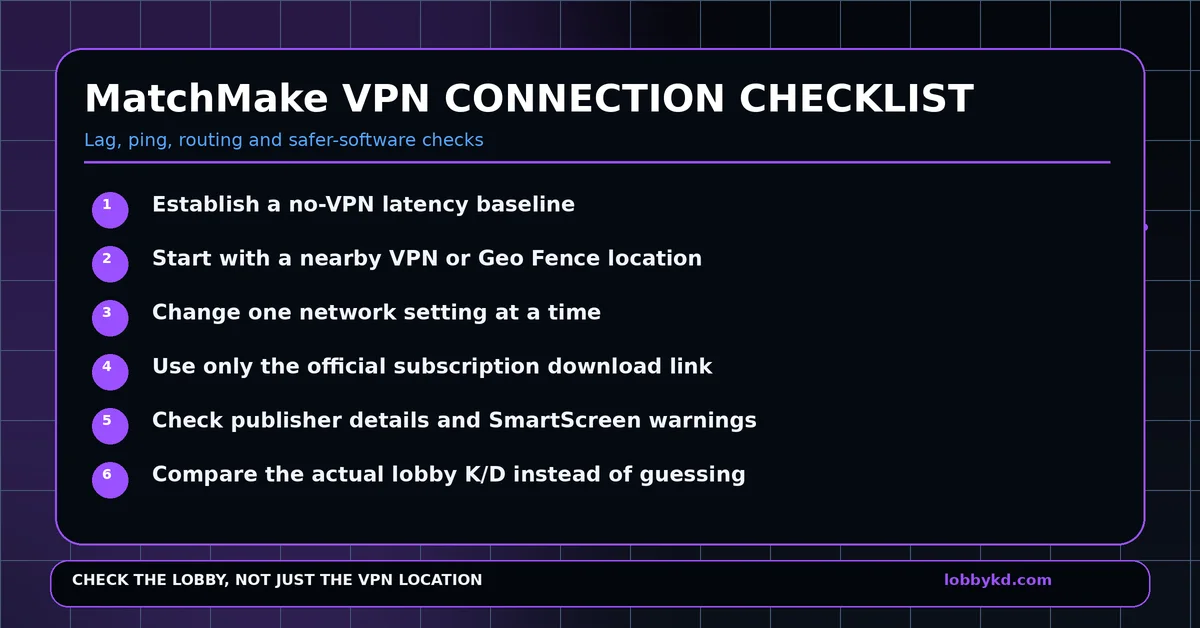
Before connecting MatchMake VPN, establish your normal Call of Duty performance.
Play several matches and note your typical ping, packet loss and whether packet burst occurs.
Then enable MatchMake and select a reasonably close location.
Test again.
Only after confirming that the initial route is stable should you begin experimenting with more distant locations.
If a particular location causes a large latency increase, disconnect and compare it against the original baseline.
Avoid changing VPN server, DNS, MTU, router settings and firewall rules simultaneously.
One variable at a time makes troubleshooting much easier.
Do Not Ignore the Windows Installer
Matchmaking VPN applications often require elevated network permissions because they need to control adapters, routes or firewall configuration.
That does not make them dangerous.
It does mean you should be careful about where the installer comes from.
Use the official download provided by the company after subscribing.
Do not search Google for cracked MatchMake clients or install an EXE uploaded by somebody on a forum.
Check whether Windows displays a recognised publisher.
If SmartScreen displays an unfamiliar-app warning, verify the source before continuing rather than automatically clicking through it.
New legitimate applications can sometimes lack reputation, so warnings should not automatically be interpreted as proof of malicious software. They should simply encourage appropriate caution.
Think About the Privacy Relationship
A VPN does not remove trust from your internet connection—it changes who you need to trust.
Depending on the technology being used, a VPN provider may be capable of recording certain connection metadata, such as source IP addresses, server choices or timestamps.
That does not mean MatchMake VPN is harvesting customer data.
It means users should examine the provider's privacy policy before installing any network application, especially when dealing with smaller companies.
Look for clear information about logs, retention periods and third-party services.
Is a Huge List of VPN Locations Actually What You Need?
If your objective is simply getting lower-difficulty Call of Duty matches, having dozens of regions can create more trial and error.
A location that generated a great lobby yesterday can produce an entirely different result today.
Matchmaking remains dynamic.
That means VPN region selection is ultimately a prediction.
LobbyKD approaches the same goal from another direction.
Instead of trying to infer lobby strength based on the geographic location you selected, LobbyKD provides estimated K/D intelligence about the lobby you actually found.
You can therefore focus on the outcome rather than repeatedly changing the route.
Players who still want a specialist Call of Duty VPN should consider comparing established providers such as SBMMOFF VPN and NoLagVPN, while checking their privacy policies and measuring actual latency on their own connection.
But if the real question is simply, “Did I get an easy lobby?”, checking the lobby score itself is usually the more direct answer.
0 Comments
No approved comments yet.
Sign in to react or comment.
Login