Refund Information for MatchMake VPN
MatchMake VPN is slightly different from some of the other services in this guide because its current website is closely integrated with BotLobbies.com.
At the time of writing, MatchMake VPN’s own site sends users to BotLobbies.com for PC products, console products, pricing, account access and legal terms.
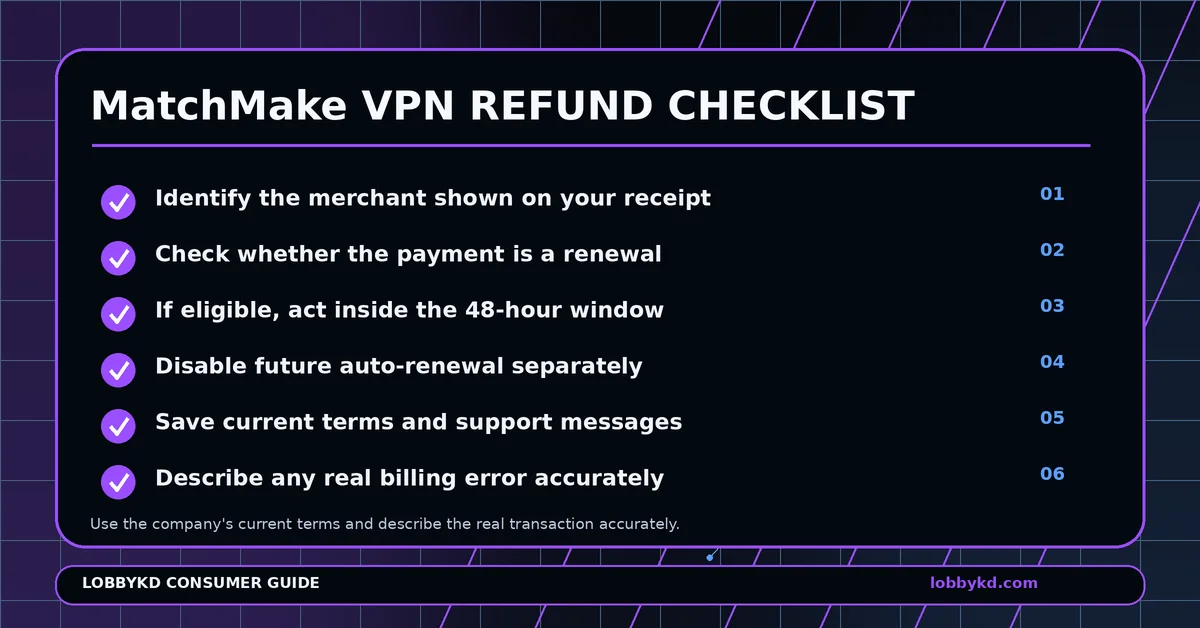
That means the first thing a customer should do is look at the merchant name on the receipt and identify exactly what subscription they purchased.
Was It the First Payment or a Renewal?
The BotLobbies Terms of Service currently linked from MatchMake state that subscription purchases are generally non-refundable, but a renewal charge can be refunded if the company is contacted within 48 hours of that transaction.
That makes timing particularly important.
If you have just noticed a renewal, locate your receipt immediately and check the precise transaction time.
Save the account email, transaction reference, product name and amount.
Turn Off Future Billing
If you do not want to continue the service, cancellation should be handled separately from the refund request.
BotLobbies states that subscriptions renew automatically until cancelled and that renewal can be turned off from the account dashboard. Access then continues until the end of the already-paid term.
Turning off renewal prevents another charge. It does not by itself return a previous payment.
How to Approach Support
If the payment is a qualifying recent renewal, tell support clearly that it was a renewal transaction and include the payment time and receipt.
If you are dealing with a different problem, such as an incorrect amount or duplicated payment, explain that actual issue instead.
Avoid describing an authorised first purchase as unauthorised simply because you later changed your mind. Keeping the circumstances accurate makes the conversation much easier to document.
Save the Relevant Terms
Because the MatchMake website now directs several important functions to BotLobbies, keeping a screenshot or copy of the terms that apply to your transaction is sensible.
Save your order confirmation, cancellation confirmation and every support reply.
If you believe a qualifying renewal request was wrongly rejected, reply with the transaction timestamp and the date you first contacted support and ask for the decision to be reviewed.
If there is a genuine unauthorised transaction or billing error that the merchant cannot resolve, your payment provider may have a formal dispute procedure.
Know the Lobby Instead of Chasing the Region
MatchMake itself acknowledges that matchmaking has many factors and that easier lobbies are not guaranteed every time.
If you are tired of switching locations without knowing exactly what matchmaking gave you, LobbyKD offers another approach. Instead of trying to predict the lobby from the VPN location, LobbyKD helps you evaluate the actual lobby.
0 Comments
No approved comments yet.
Sign in to react or comment.
Login